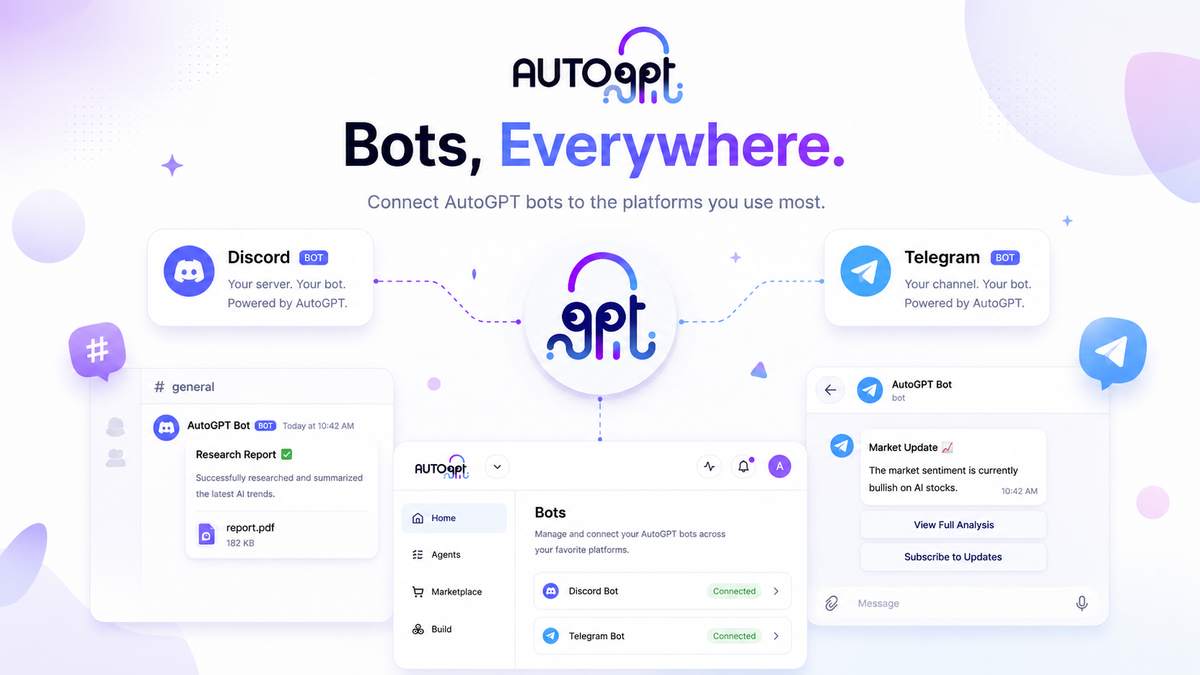
@AutoGPT is your AutoGPT agent, delivered as a bot you can tag. Add it to a Discord server or a Telegram chat, connect it to the tools and data you choose, and anyone on the team can @AutoGPT a request (research, discovery, monitoring, drafting, triage) and hand off the work while they get on with everything else.
AutoGPT has always been about one idea: stop building workflows, start hiring agents. @AutoGPT takes that literally. Instead of opening the platform to brief an agent, you bring the agent to where the conversation already happens. You describe the outcome the way you’d brief a teammate, and it plans the task, breaks it into steps, runs them with the tools it’s connected to, and posts back what it produced.
It works in the two places most teams already talk: Discord and Telegram (on Telegram, the bot is @OfficialAutoGPTBot). Tag it in a channel or send it a direct message, and it replies in a thread with what it created. Same agent, same feature set, whichever platform you’re in.
There’s a nice side effect to the name, too. When a teammate sees an AutoGPT bot quietly doing real work in a channel, they know exactly what it is, and getting their own agents running is one sign-up away.
Working with @AutoGPT
If you’ve used AutoPilot Chat or the visual Builder on the platform before, this will feel familiar. Tag @AutoGPT with a request in plain language and it breaks the task into stages, then works through them in turn using the tools it has access to. When it’s done, it replies in a thread with what it created. But tagging the agent brings a few new advantages.
@AutoGPT is multiplayer. There’s one @AutoGPT in a channel, and it works with everyone in it. Anyone can see what it’s doing, jump into the thread it opened, and pick up where the last person left off. Hand off a task in #growth-team and everyone can watch the work happen. It feels less like running a private chat and more like having a teammate sitting in the channel.
@AutoGPT stays out of the way. It only auto-replies inside the threads it creates for a task, so a busy channel never turns into bot noise. It won’t answer to @everyone or @here, and when it’s added it posts a short intro explaining how to put it to work. You stay in control of when it speaks.
@AutoGPT is the whole agent, not a lite bot. It uses the same model, your connected tools and integrations, and the memory it builds as it follows the conversation. Share a file with it in the chat and it reads it; when it finishes a job, it can send the finished files straight back. It can research, build, automate, monitor, and deliver a result, the same as it does on the web.
@AutoGPT works asynchronously. Set it a task and move on. It runs in the background and reports back when it’s done, streaming its reply as it works so you can follow along. You can put it on a recurring schedule, so “every Monday morning” becomes a standing job you never have to remember. Send it several tasks at once and it queues your follow-ups instead of dropping them.
Works where your team works
Discord and Telegram get the same agent and the same core feature set: @-mentions, threaded replies with clean follow-ups, direct messages, file upload and download, and streaming responses (on Telegram, replies even stream in as a live draft, so you watch the answer take shape). Rolling it out to a lot of servers at once is a single step with batch install, and every run stays within your plan’s usage limits, so costs never run away from you.
You can also DM @AutoGPT for private, one-on-one work. The first time, it’ll ask you to link your AutoGPT account. That takes one click, and from then on it responds in your DMs using your own tools and connectors, kept separate from the shared @AutoGPT in your team’s channels.
Same agent, new front door. Discord and Telegram aren’t cut-down versions of the product. The agent you tag in a channel has the same power as the one on the AutoGPT platform: the same models, the same library of 45+ connected platforms and hundreds of AI models, and the same ability to plan and carry out a job from start to finish. You give up no capability by working in chat. You just reach it without leaving the conversation.
We don’t just ship @AutoGPT — we run on it
Three recurring jobs we’ve put @AutoGPT on a schedule to run for our team every week, across Discord and Telegram. Each one posts its results into the channel where the work happens and opens a thread for follow-up. The examples below are illustrative: names, numbers, and internal identifiers have been replaced or redacted.
Commands, context, and control
A few slash commands keep long-running work tidy. Use /help any time, /setup to link your account, and /unlink to disconnect, plus platform-native commands like /new and /resume on Discord to start fresh or pick up a past chat. Behind each task, @AutoGPT keeps a context panel with a live view of the files it’s producing and the shell it’s working in, so the work an agent does in chat is never a black box. You can open any run and see exactly what happened and why, the same way you would for an agent you built on the canvas.
Getting started
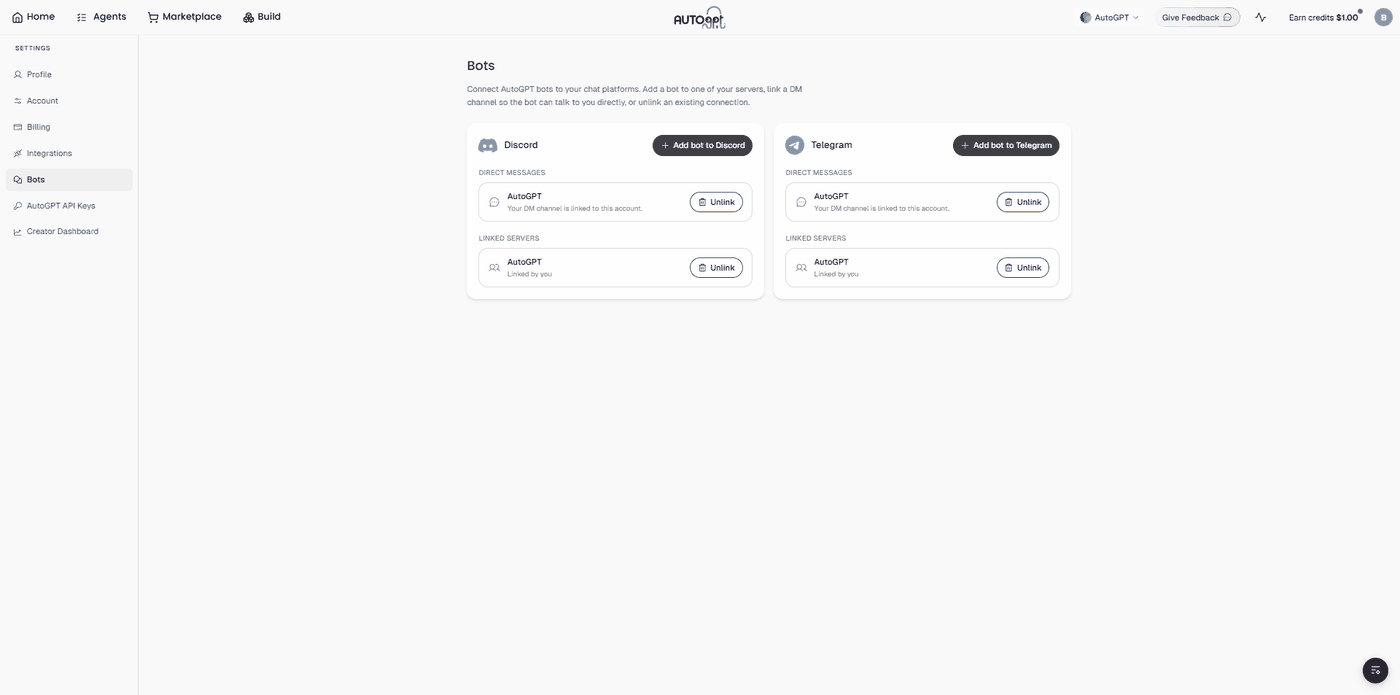
Getting @AutoGPT working in your team’s chat takes three steps, all from Settings → Bots in the AutoGPT platform.
- Add @AutoGPT to Discord or Telegram. In Settings → Bots, add the bot to the server or workspace and invite it to the channels you want it working in. On Telegram, the bot is @OfficialAutoGPTBot — search for it or open t.me/OfficialAutoGPTBot to start.
- Connect your tools. Give @AutoGPT access to the integrations and data the work needs, from web and sheets to your own connected accounts. There are no API keys to wrangle.
- Tag it in. Mention @AutoGPT in any channel and delegate your first task.
That’s the whole setup for using @AutoGPT in your team’s channels. There’s no flowchart to draw and no prompt engineering to learn. You need an AutoGPT account and a channel for @AutoGPT to work in, and that’s it.
Want to DM @AutoGPT privately? Link your account. This one extra step is only needed for direct messages. It isn’t required to use @AutoGPT in a server or workspace. Open a DM with the bot, run /setup, and connect it to your AutoGPT account. From then on you can message @AutoGPT one-on-one, and it’ll use your own tools and connectors.
Slack and more, coming soon. Slack support is built and clearing the last of its app-review requirements before we switch it on for everyone. After that we’ll keep adding platforms, so your agents can meet your team wherever they already work.
Put an AutoGPT agent in your team’s chat
Add @AutoGPT to Discord or Telegram and start delegating today.
Get started with AutoGPT